





How to make a return – Click here to log in to your account
Returning your order has never been easier — just follow these 4 simple steps for a smooth return process.
Step 1 – Log in
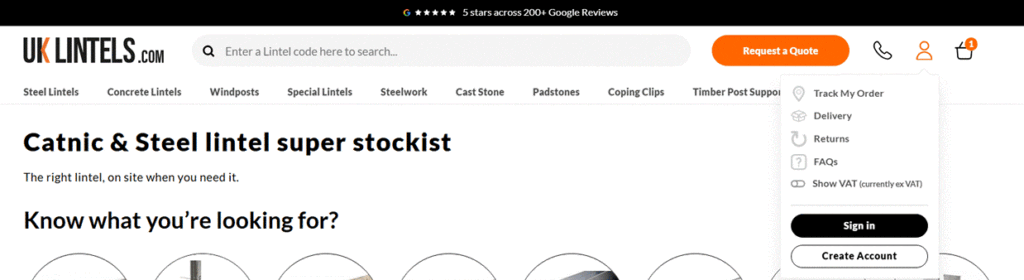
Don’t have an account? If you don’t already have an account with us, but have previously made a purchase. Create your account, using the same email as your order. All past orders will appear in your ‘Order History’.
Step 2 – Go to Order History
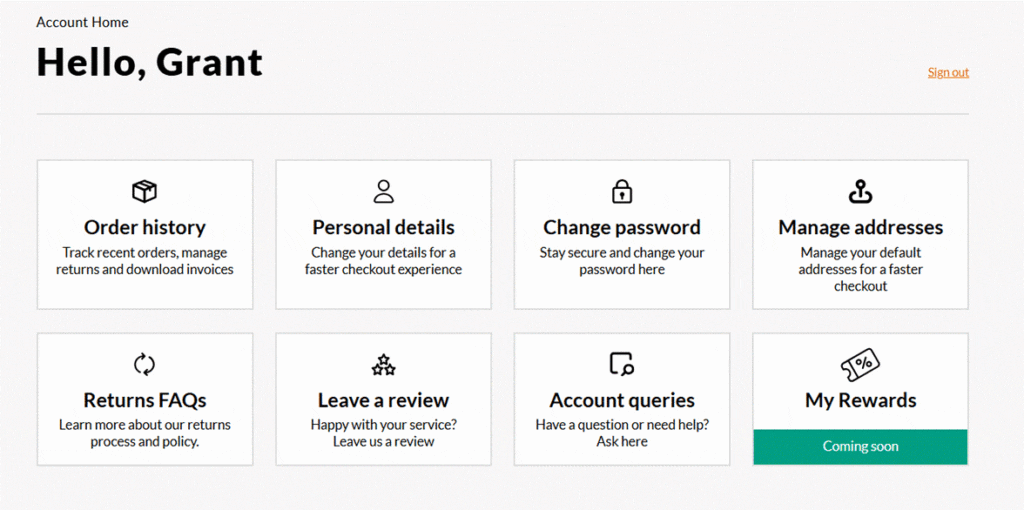
Once your account has been created, you will be directed to your account dashboard.
To request a return for your items, simply navigate to the “Order History” section where you will select the order you would like to return.
Step 3 – Click ‘Return’ for the order number you wish to request a return
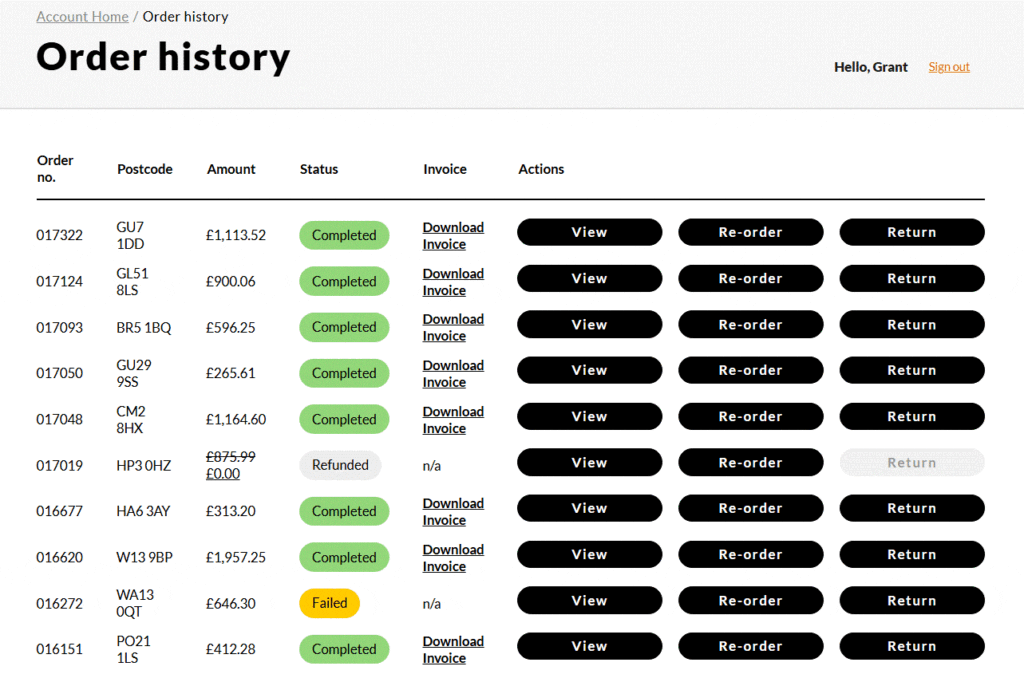
Once you are on the “Order History” page, you will see a list of all your previous orders.
Locate the order you would like to return, then click the “Return” button to begin your return request.
Step 4 – Complete all fields and submit
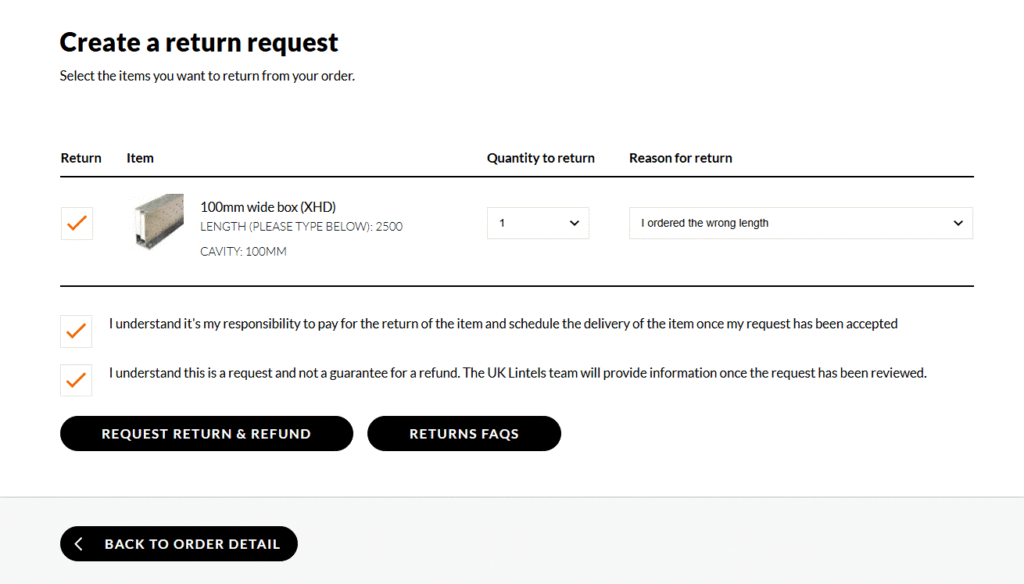
You’ll be able to select the item(s) you wish to return and choose a reason for the return from a list of options. Once submitted, we will review your request and get back to you.
If your return is approved, we will provide you with a return label to attach to the parcel before sending the item(s) back to us.
Please note: any items shown in grey are not eligible for return. If you wish to discuss further you can call us on 03330 169 789 or email us at info@uklintels.com and reference your order number and reason for return.
If you do not wish to set up an account
You can simply reply to your order confirmation email, stating that you would like to return your order. Please include the item(s) you wish to return along with the reason for the return, so our team can review your request as quickly as possible.
Once your return has been reviewed and approved, we will give you further instructions on how to send the item(s) back to us. It is the clients responsibility to return the items back to our depot in Bristol, BS49 4AW. If you are ordering alternative goods we may be able to arrange a collection at the same time as delivering your new order (there may be a return to depot collection fee and this will be disclosed upon receipt of your request to return form.